
Note: See the video at the bottom of the page.
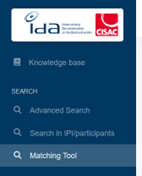
To access, go to the SEARCH section and open the Matching Tool menu.
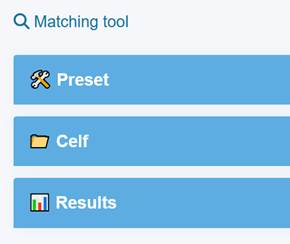
The page displays 3 sections : Preset, Celf and results.
Start by configuring your Presets :
=> For String fields, you can choose how strict the match should be:
- Exact Value : Searches for the exact title, meaning the word order must match.
- Standard : Allows the words to appear in a different order.
- Standard Typo-Tolerant : Allows minor spelling differences, such as a missing letter
=> For numeric fields, you can define a tolerance.
⚠️ Important:
For a field to be used in the matching, you must set both a Matching Type (or the tolerance) and a Weight (priority level).
Example:
| Field | Matching Type or tolerance | Weight |
| Used main title | Exact Value | 10 |
| Used subtitle or episode title | Standard | 5 |
| Production country | 0 | 4 |
| Duration | 10 | 2 |
Which fields are compared (Mapping CELF/IDA) ?
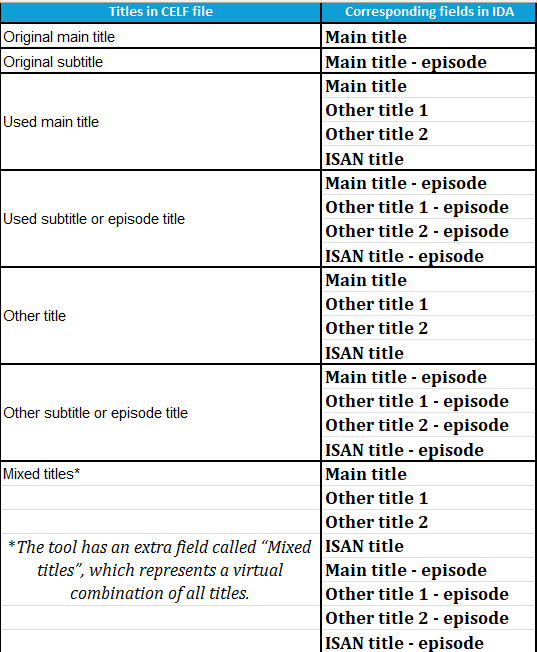
Specific case “Mixed titles” : If you check the “Mixed titles” option, all other title fields will be disabled and all titles from the CELF files will be compared with all titles from IDA (included ISAN title and ISAN title – episode).
| In CELF file | Corresponding fields in IDA | Comments |
| Season number | Season | Compare with range (not the exact value) |
| Episode number | Ref episode | Compare with range (not the exact value) |
| Production year | Production year | Compare with range (not the exact value) |
| Duration of usage | Duration | Compare with range (not the exact value) |
| Production countries | List of Production country | Production country 1, 2 and 3 in CELF are grouped |
| Production company | Roles ORP : firstname / lastname |
| Director of work | Roles RE : firstname / lastname | |
| Directors IPI name number | Roles RE : IPI | |
| Performers | Roles AC : firstname / lastname | Performer 1, 2 and 3 in CELF are grouped |
| Other participant 1 | firstname / lastname | Other participant 1, 2 and 3 in CELF are groupes |
| Other participant 1 role | role | Other participant role 1, 2 and 3 in CELF are grouped |
| Other participant 1 IPI NN | IPI | Other participant IPI NN 1, 2 and 3 in CELF are grouped |
| Numero ISAN | ISAN Number |
Specific rules:
-> Masters are not included in the research.
-> If the field is left blank in CELF, its weight is not included in the score calculation.
-> The weight used to calculate the score is the relative weight.